OVERVIEW
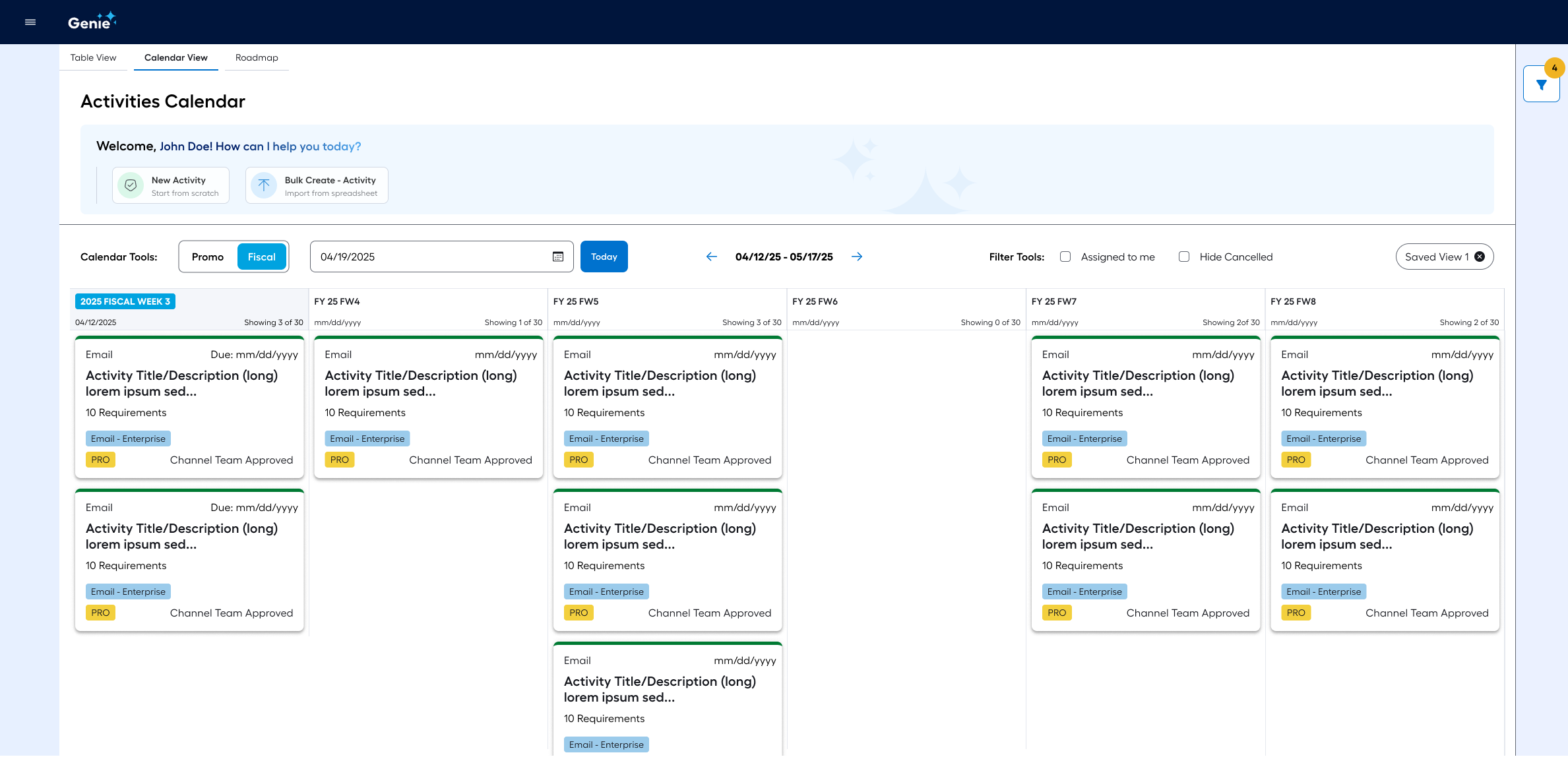
GENIE ACTIVITIES CALENDAR
I was given the assignment to incorporate the essential features of a third-party marketing activities tracker app into Lowe’s single platform for end to end internal marketing, GENIE.
This assignment would not have been successful without pleasing two different groups of users, plus their management and oversight team.

SITUATION
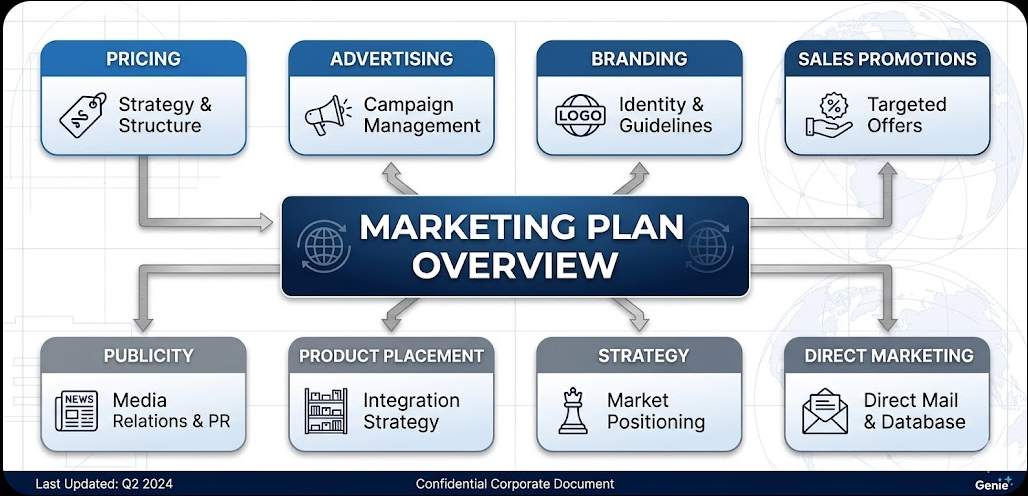
Enterprise marketing teams were struggling to manage high-volume campaign data across fragmented tools.
The lack of a centralized "source of truth" made it difficult to visualize the relationship between Promo and Fiscal cycles, leading to scheduling overlaps and a high cognitive load for project managers overseeing 350+ activities per week.
The use of multiple third-party apps to accomplish what should have been one cohesive workflow was causing frustration and was expensive to maintain.
Finally, the poor integration between multiple apps was making it impossible for managers and supervisors do perform accurate capacity planning. This was particularly painful due to the seasonal aspect of marketing campaigns.
TASK
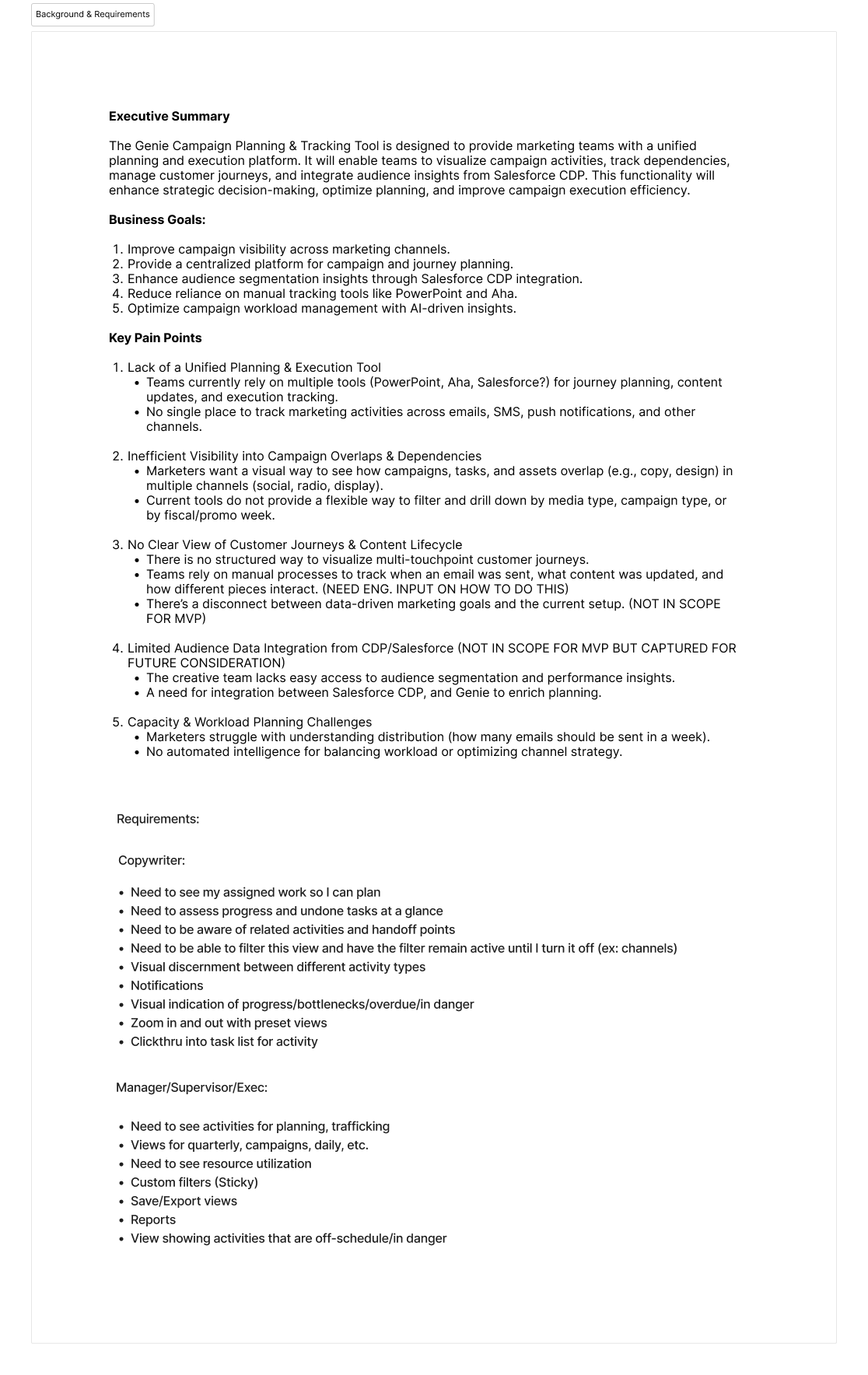
The goal was to design a highly functional, scalable Activities Calendar for the Genie platform.
Success required creating an interface that could handle extreme data density while remaining intuitive for both power users and stakeholders, ensuring all team members could track "Channel Team Approvals" and project requirements at a glance.
ACTION
Contextual Navigation
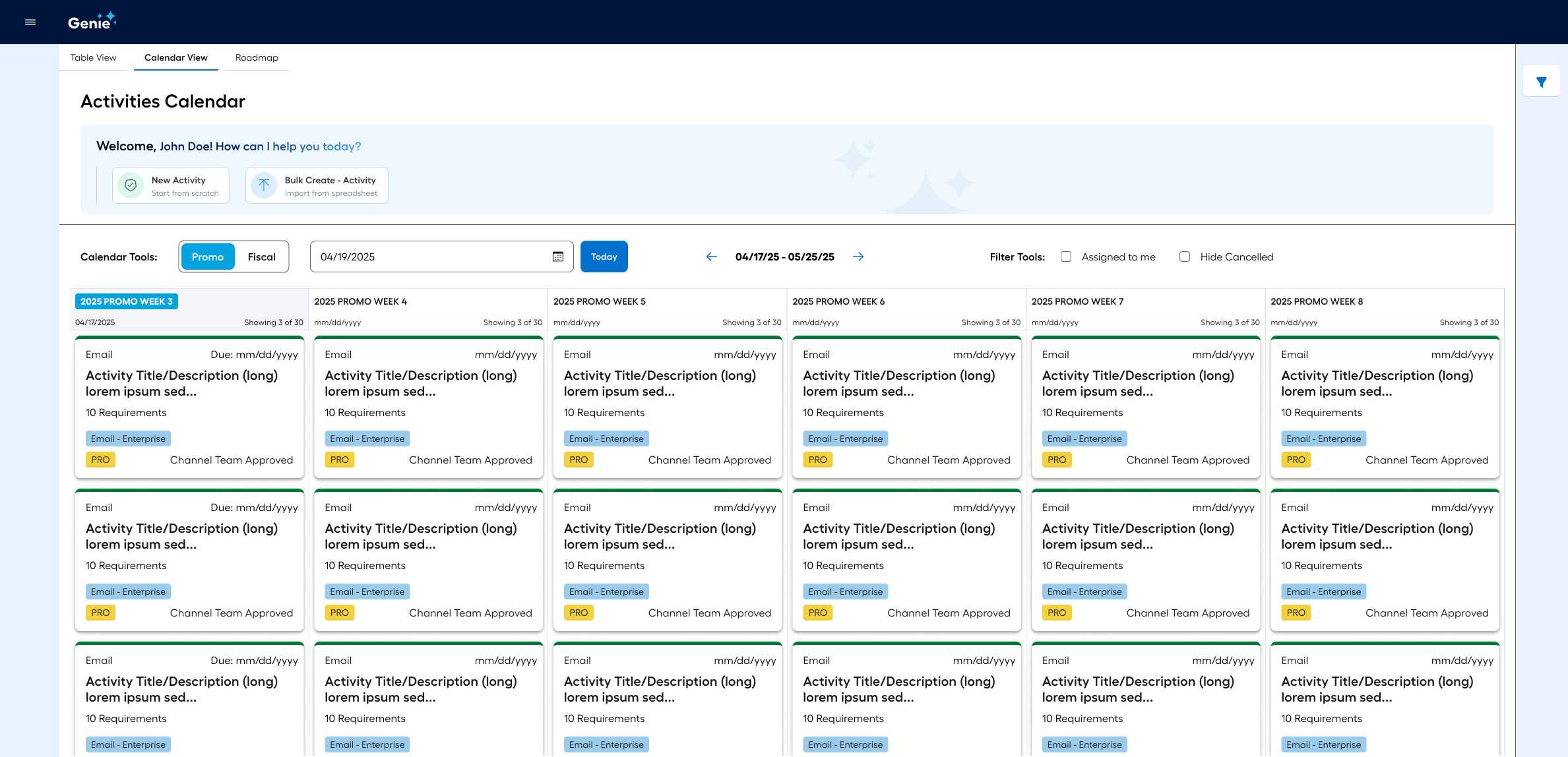
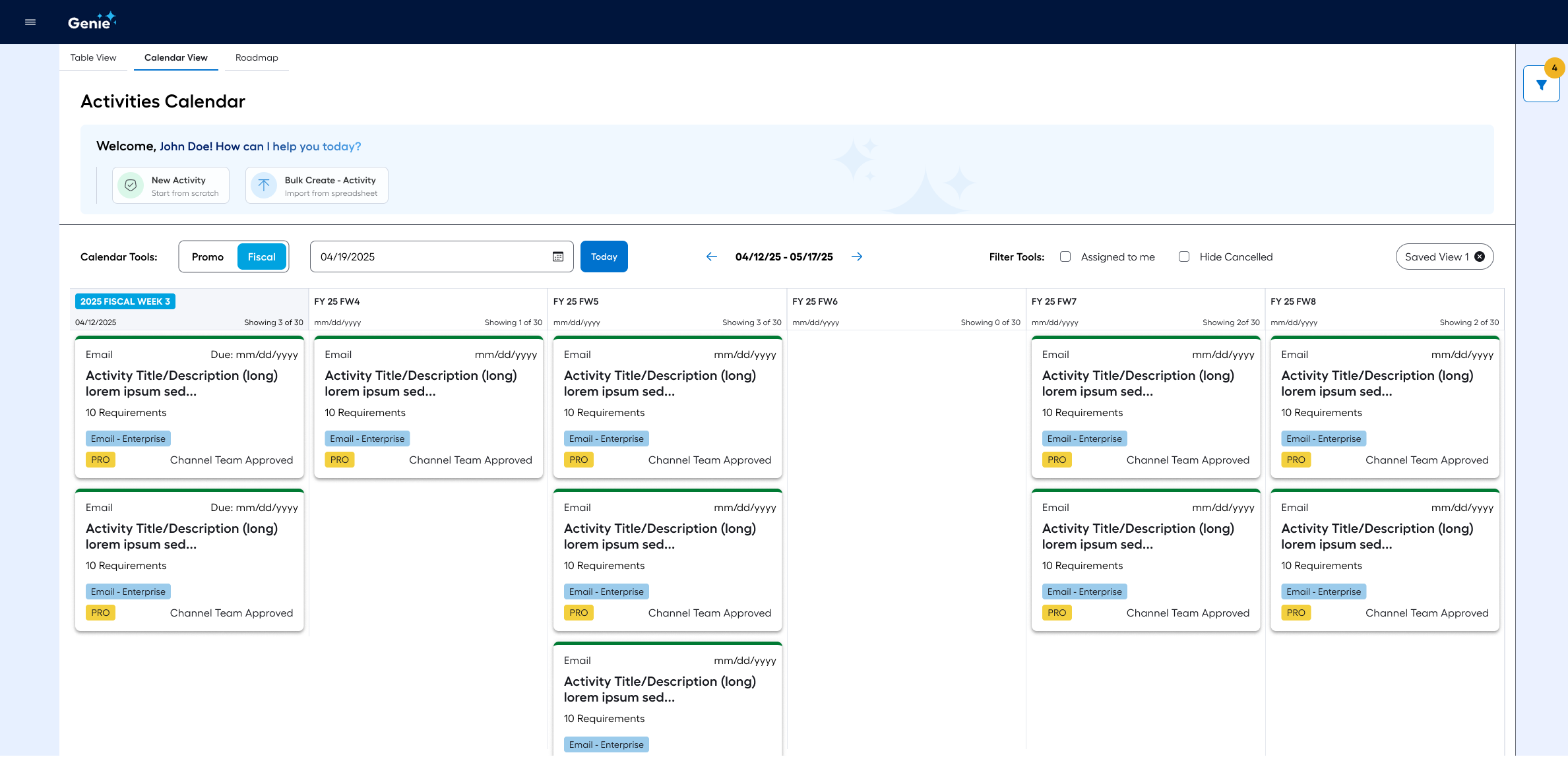
I implemented a dual-timeline toggle to align the system with the "Match Between System and the Real World" heuristic, allowing users to switch between Promo and Fiscal views seamlessly.
Advanced Data Management
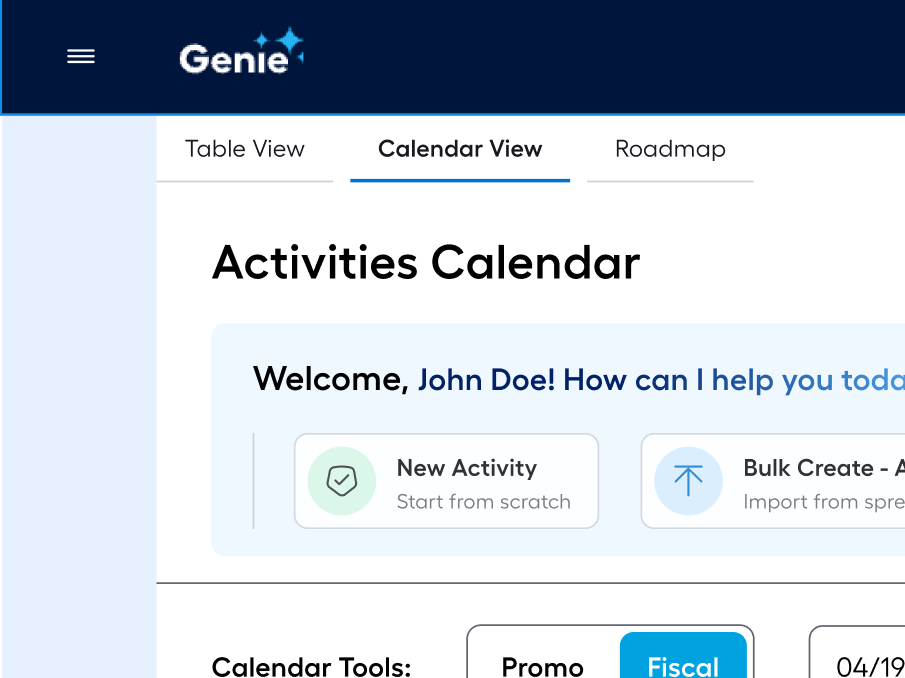
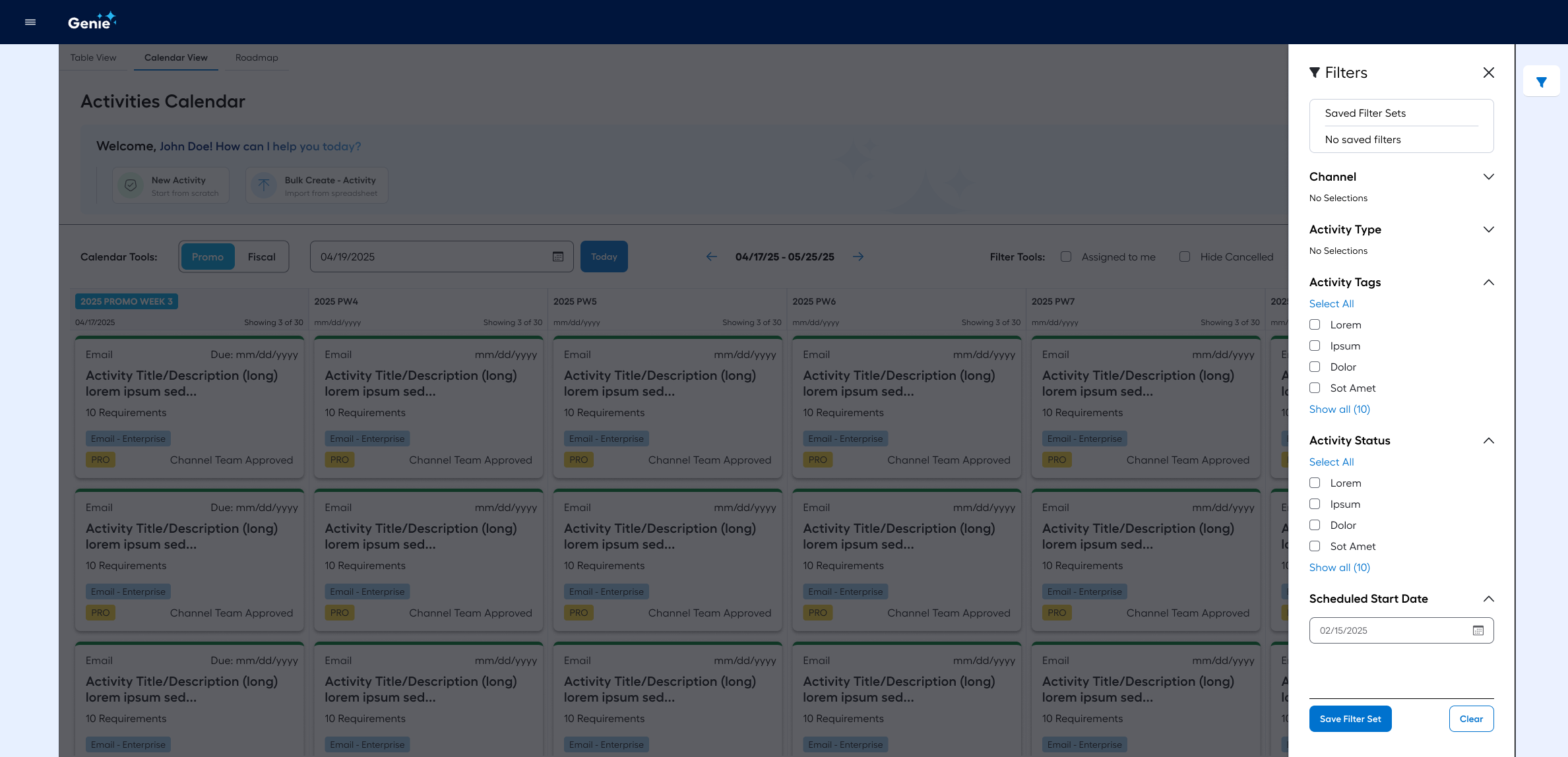
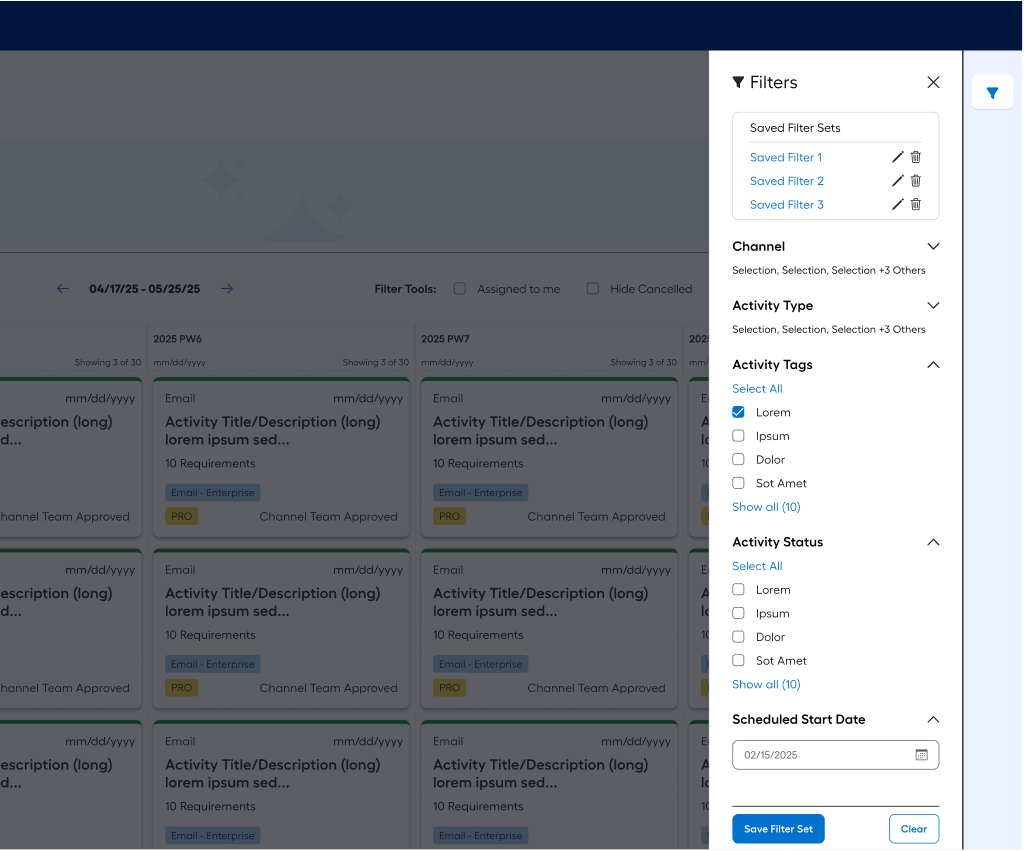
To support the "Flexibility and Efficiency of Use" heuristic, I designed a slide-out filtering panel with "Saved Filter Sets" feature, enabling power users to reuse useful filters over and over again without having to spend time re-creating them.
In addition, I created a “Bulk Create” feature, allowing users to create multiple redundant activities at once and place them on the timeline, improving productivity.
Multi-Modal Visualization
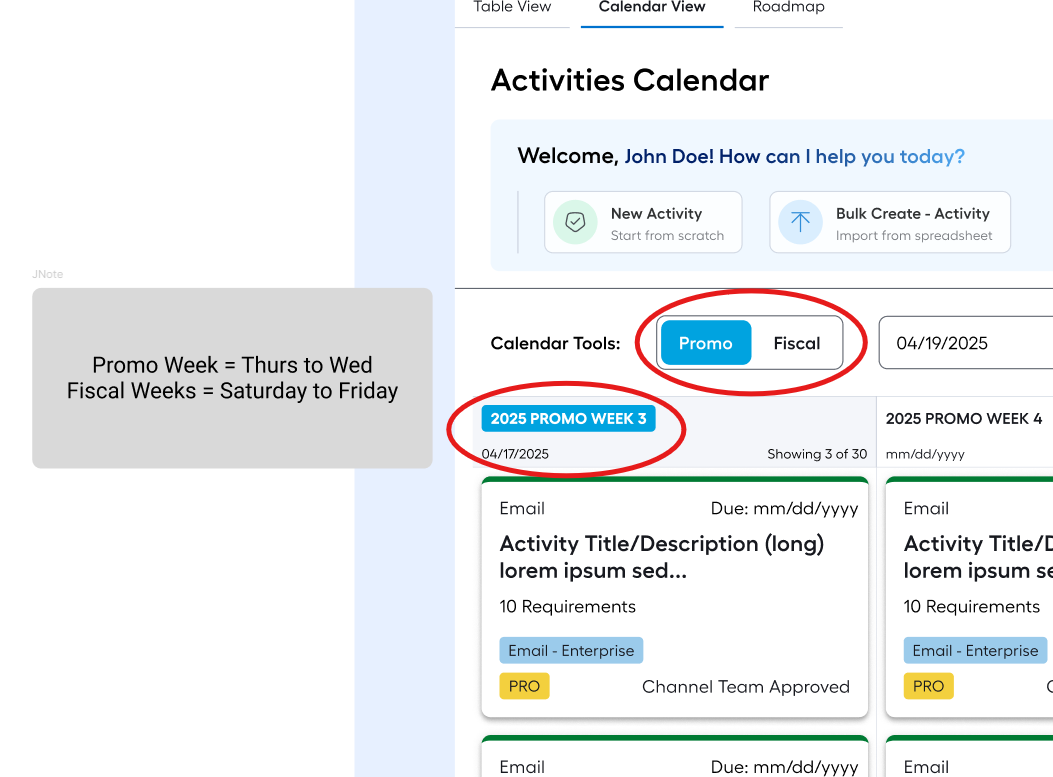
I engineered a flexible architecture that supports Table, Calendar, and Roadmap views, providing users with the "User Control and Freedom" heuristic to choose the visualization that best suits their current mental model.
Information Hierarchy
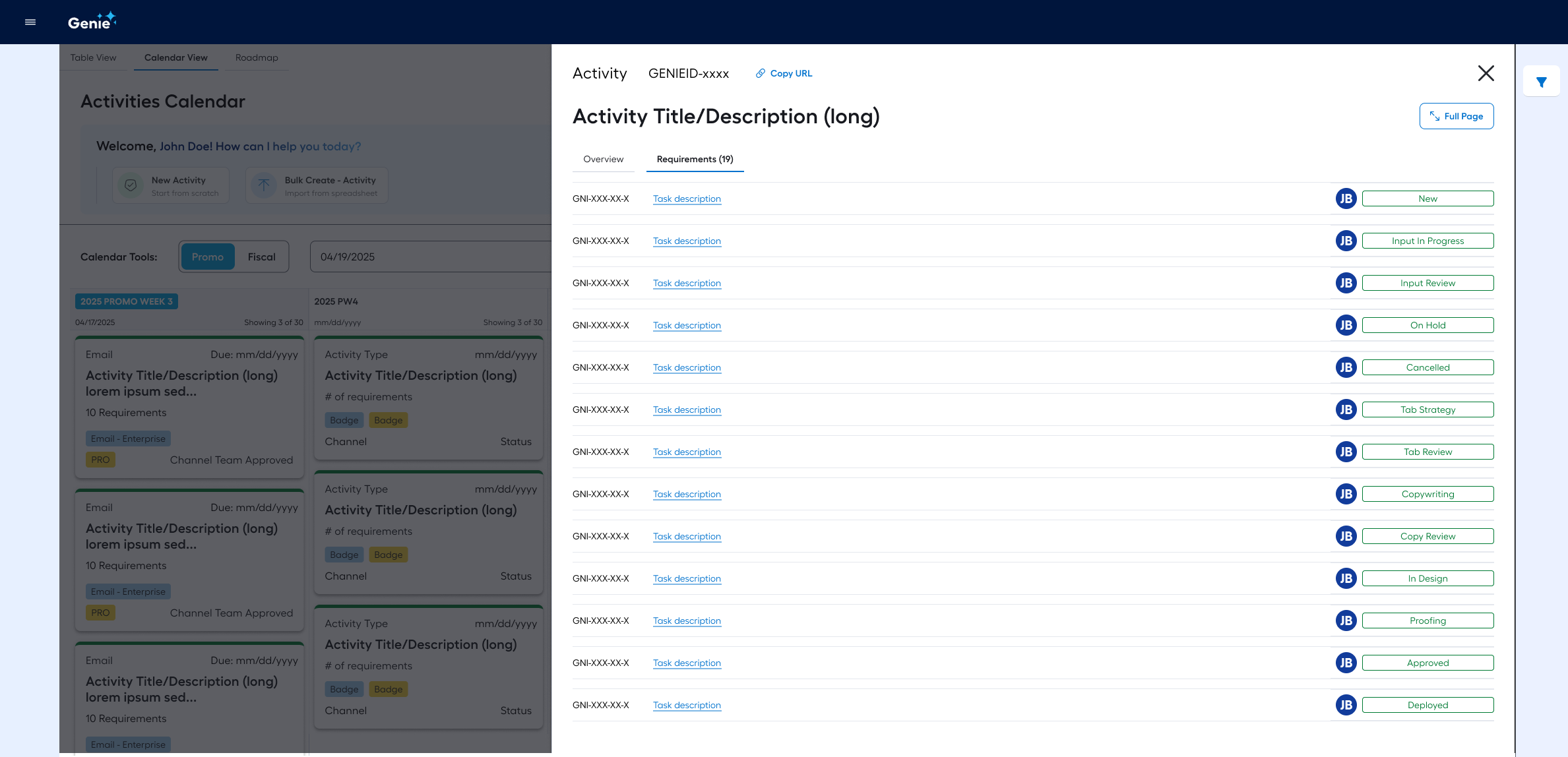
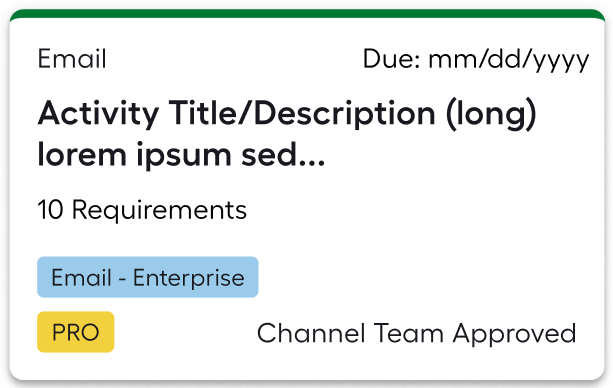
I designed individual activity cards to display critical metadata (status, requirements count, and activity type) directly on the grid. This prioritized "Recognition Rather Than Recall" heuristic, ensuring users didn't have to click into items to understand their state.
RESULT
The final "Genie" Activities Calendar didn't just organize data; it optimized the user journey by adhering to key Usability Heuristics, leading to a more intuitive and error-resistant experience:
Visibility of System Status: By incorporating status badges (e.g., "Channel Team Approved") and a clear header indicating "Week of March 2 - 8," the design ensures users always know where they are in the timeline and the current state of their campaigns.
Flexibility and Efficiency of Use: The inclusion of "Saved Filter Sets" and "Bulk Create" buttons caters to power users, allowing them to bypass repetitive actions and tailor the interface to their specific workflow.
Match Between System and the Real World: The toggle between "Promo" and "Fiscal" calendars speaks the language of the user’s industry, aligning the digital tool with the actual business cycles marketing teams live by.
Recognition Rather Than Recall: By displaying "Activity Type" and "Requirements Count" directly on the calendar cards, the interface minimizes the user's memory load, providing essential information at a glance without requiring them to click into every item.
User Control and Freedom: The multi-view architecture (Table, Calendar, Roadmap) allows users to switch contexts easily if they make a mistake or realize a different visualization better suits their current task.